Assigning users to courses
How to assign a user to a course and give the user a course role
Users can be assigned to courses with specific course roles. When a user is assigned to a course/module, the course/module will appear in their course list.
You can read more about course roles here
How to assign a user to a course
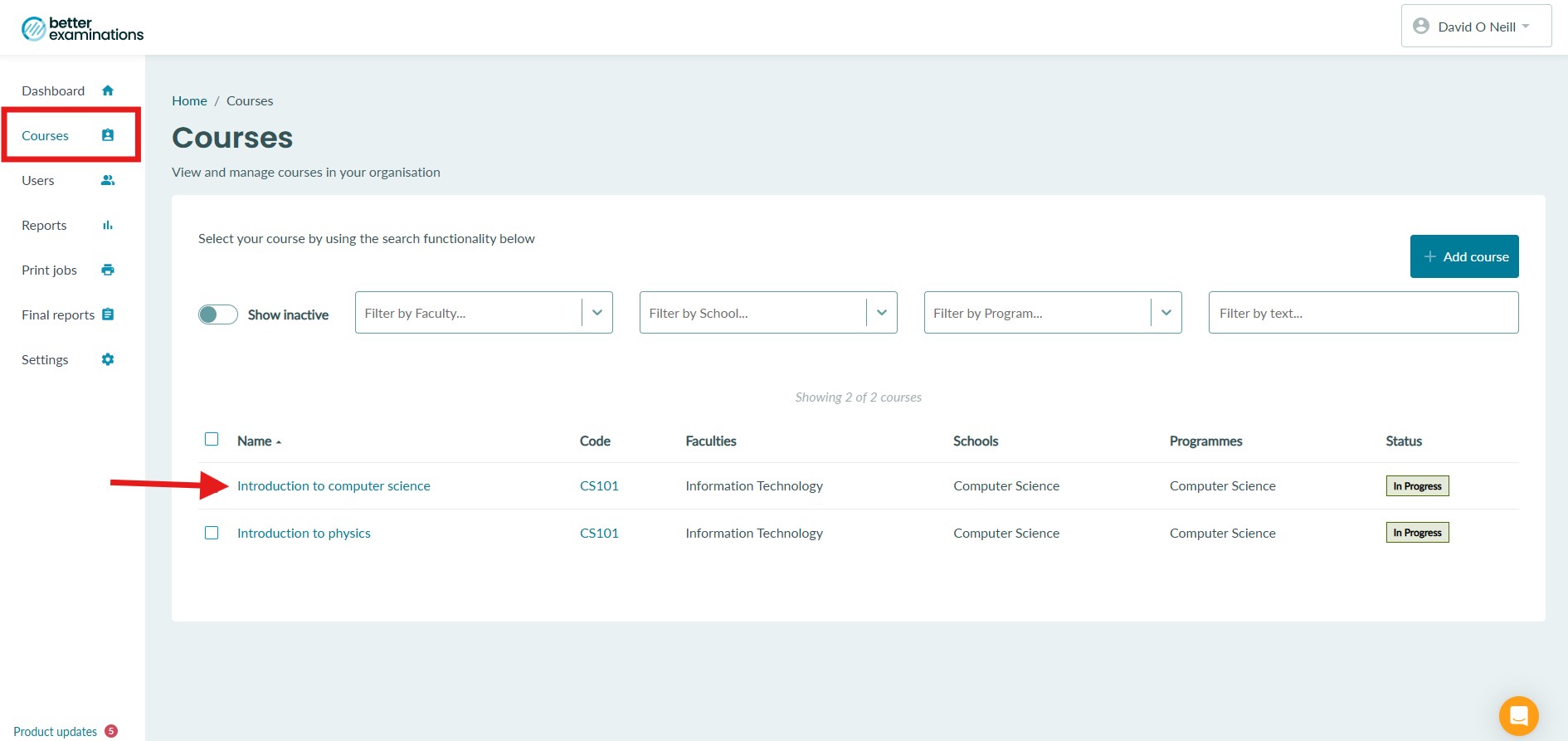
1. Select the courses list from the left hand side menu and find the course you want to assign the user to.
2. Select users from the left hand side menu and toggle the 'Modify users' toggle on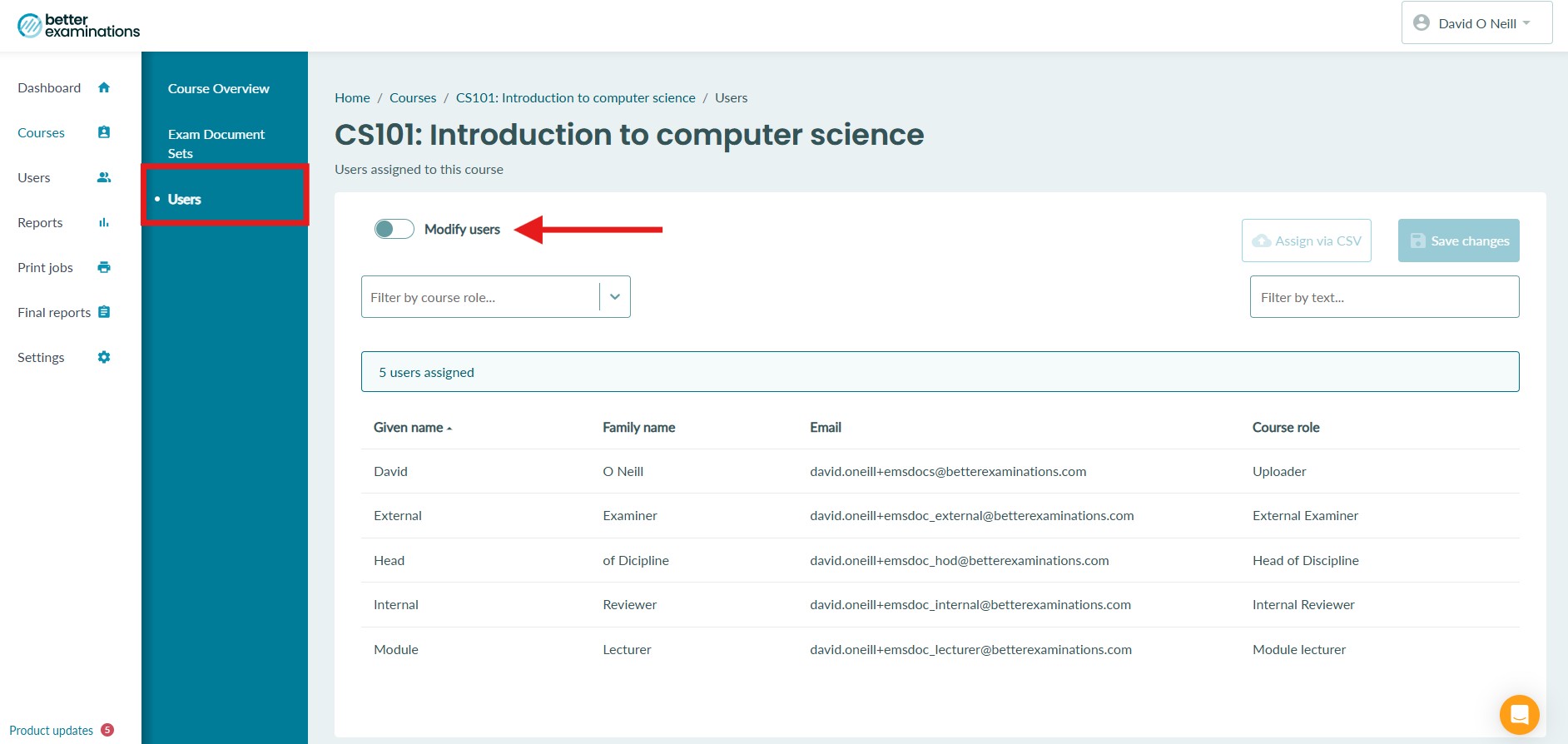
3. Once the toggle is on, you can search for the user by inputting their email address into the search bar as shown below
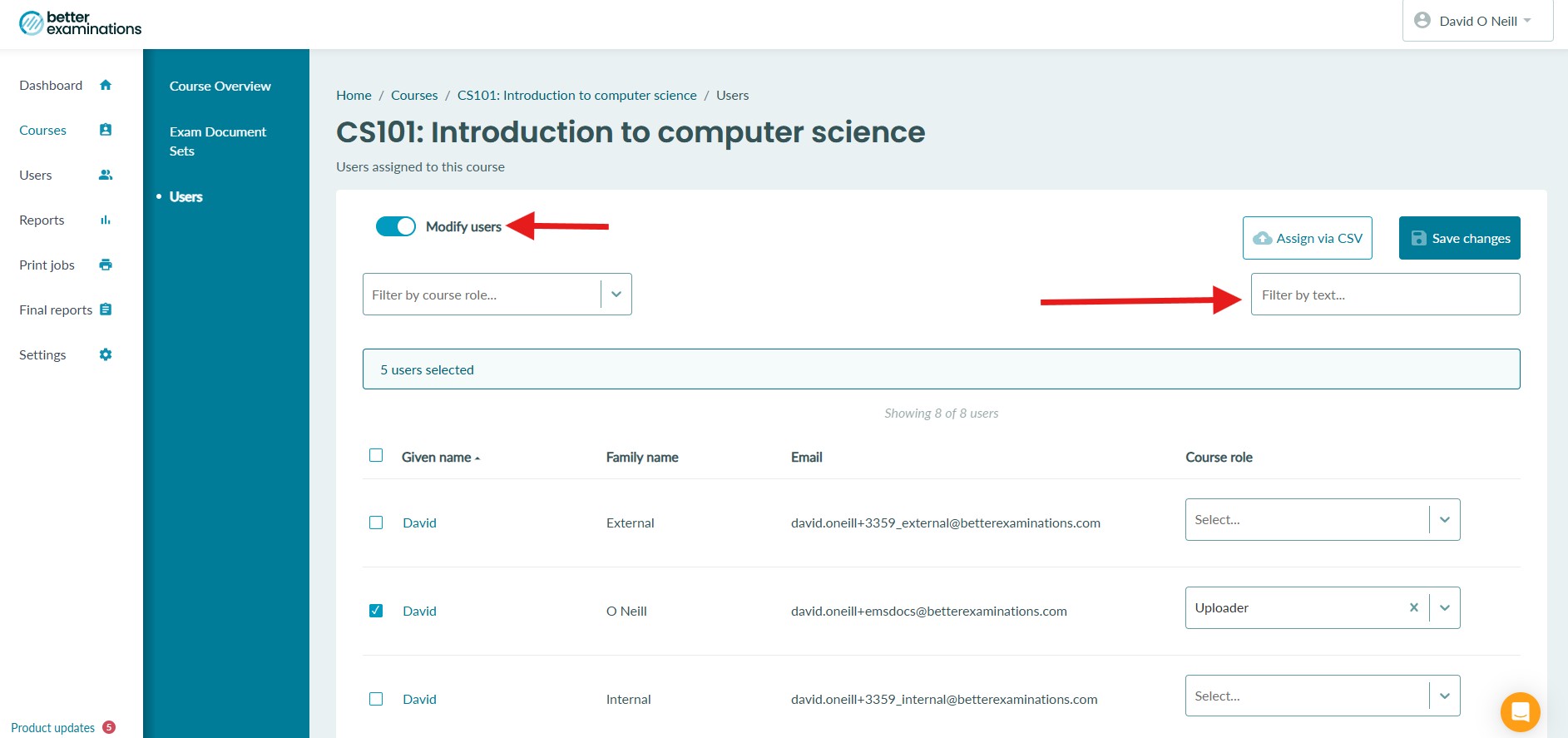
4. When you search for an email address, the user will then appear in the list
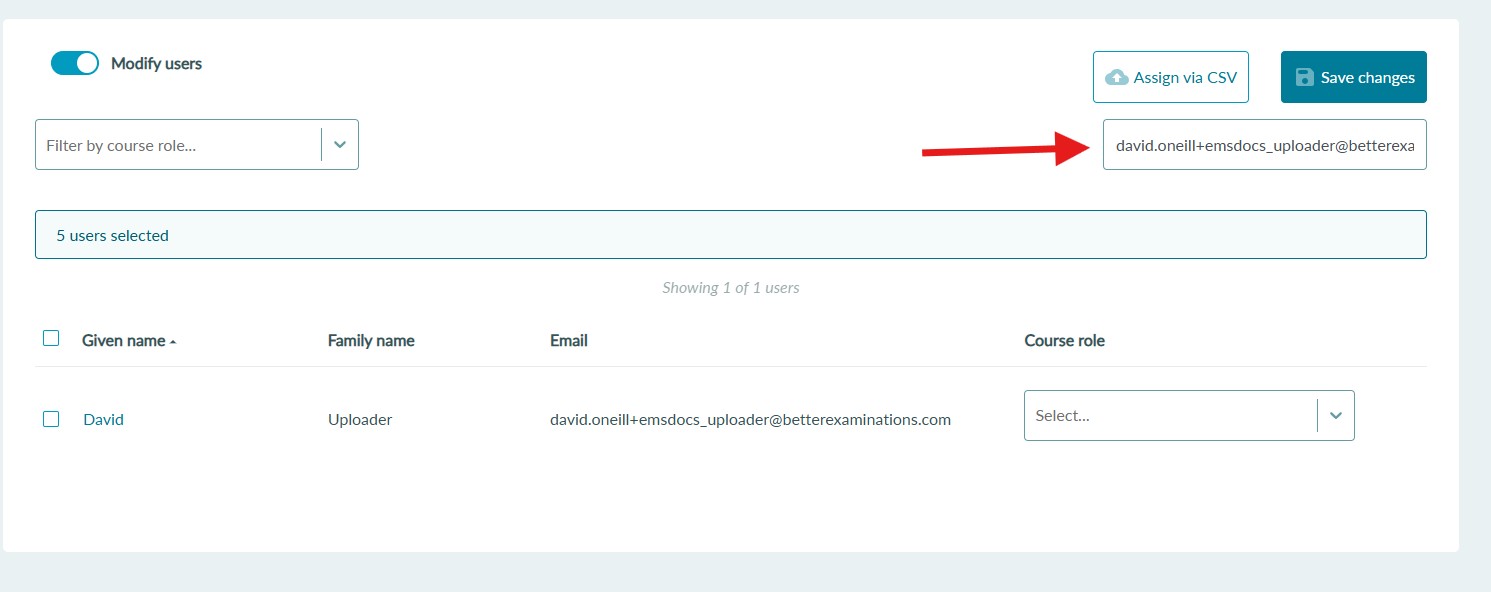
5. Select the checkbox next to the users name and select a course role for the user
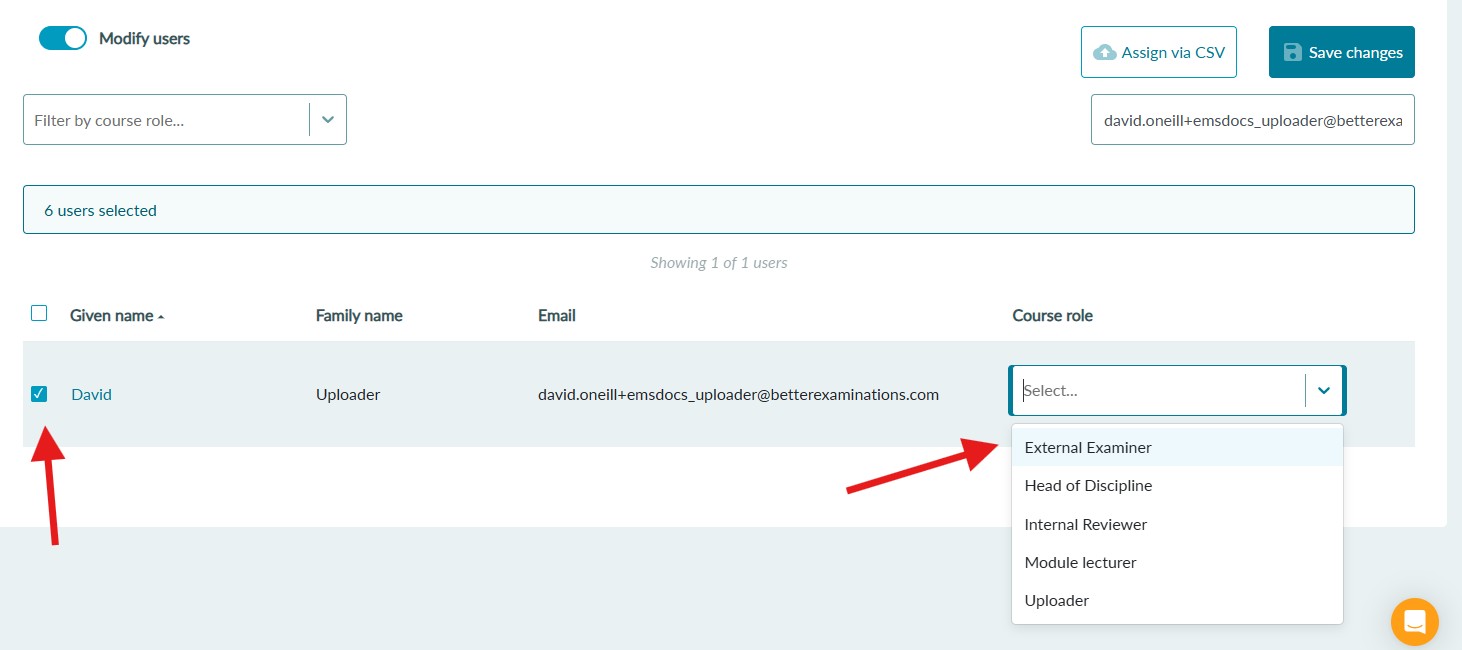
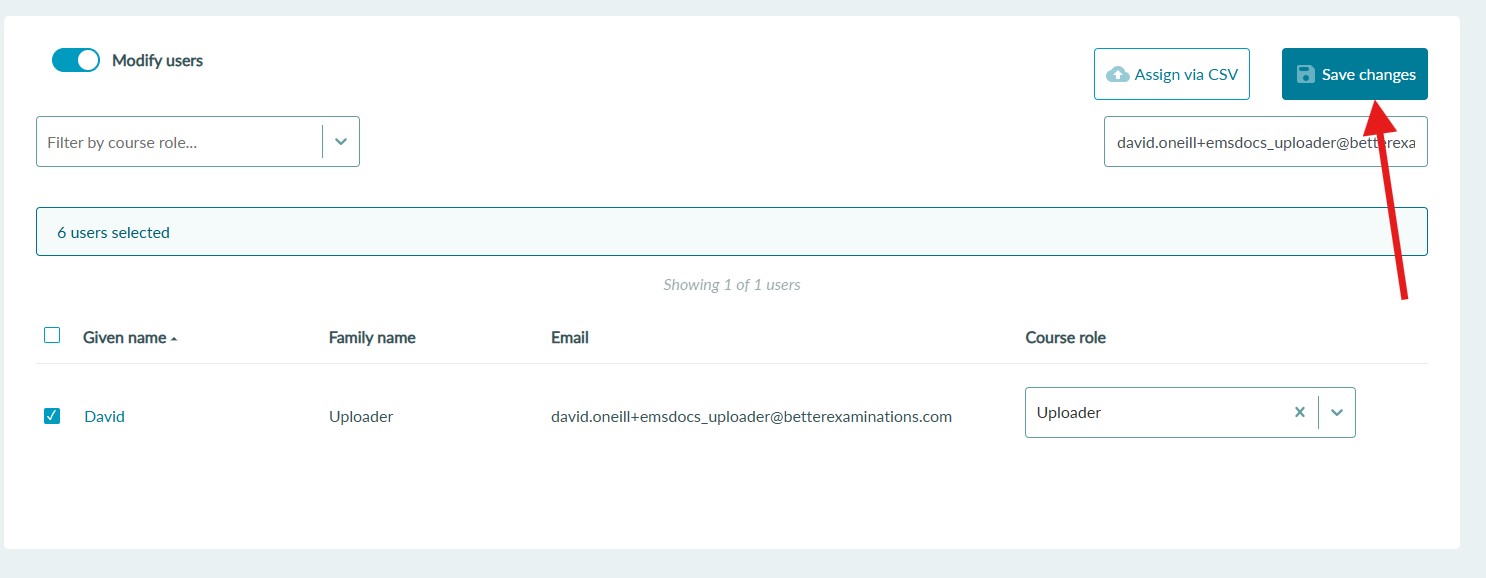
6. Finally, select Save changes to assign the user to the course
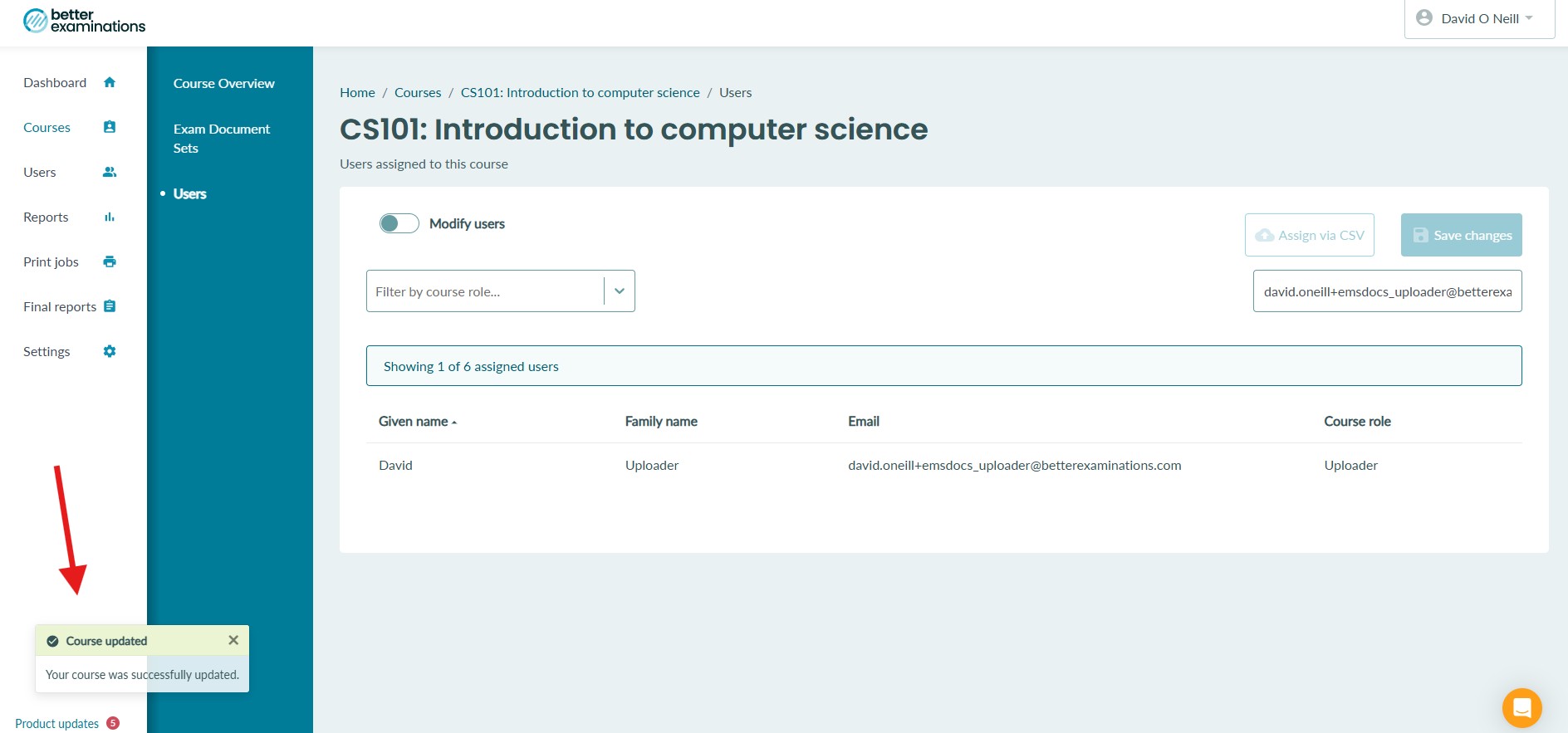
7. You will see a success toast message appear if the save was successful
Assigning a specific user to one or more courses
If you need to assign a specific user to multiple courses, instead of navigating to each individual course, you can manage that user's course assignment from the user list.
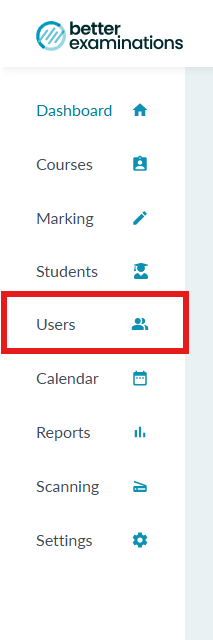
1. Select 'Users' from the left hand side menu
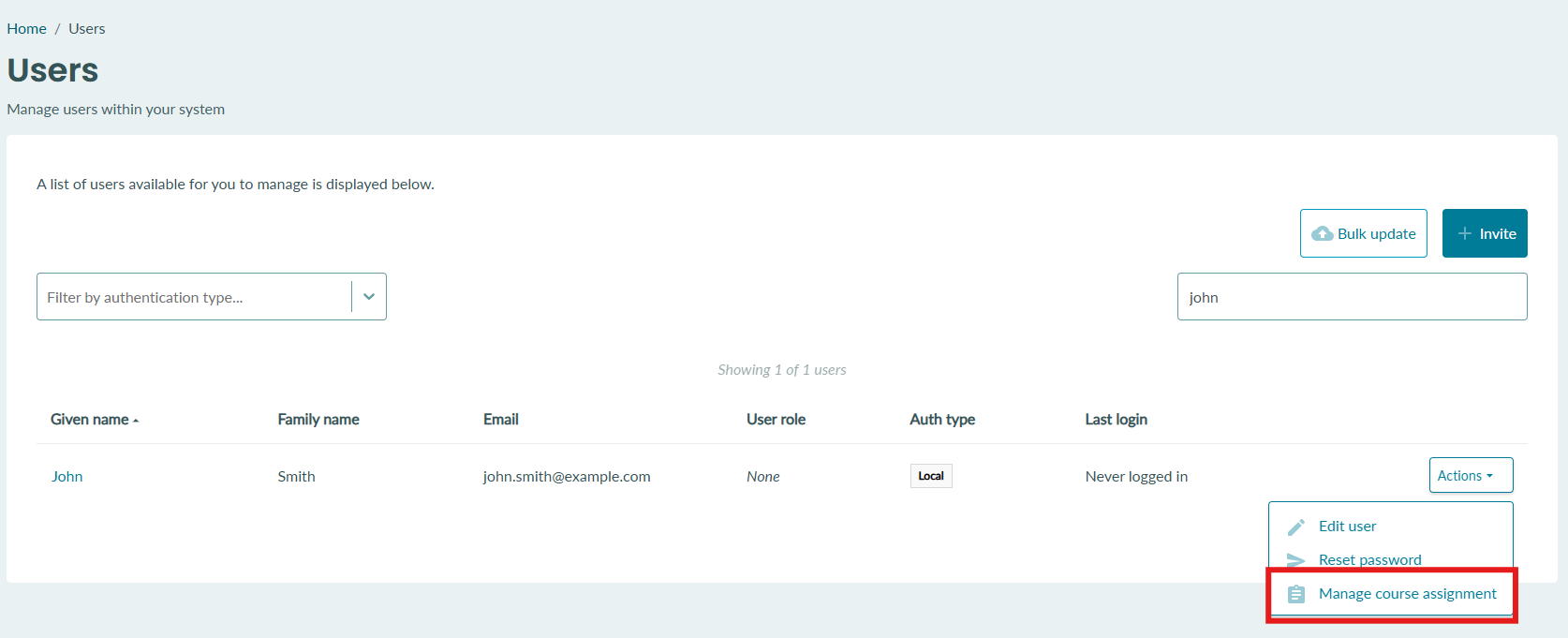
2. Find the user select the 'actions' button and select 'Manage course assignment'
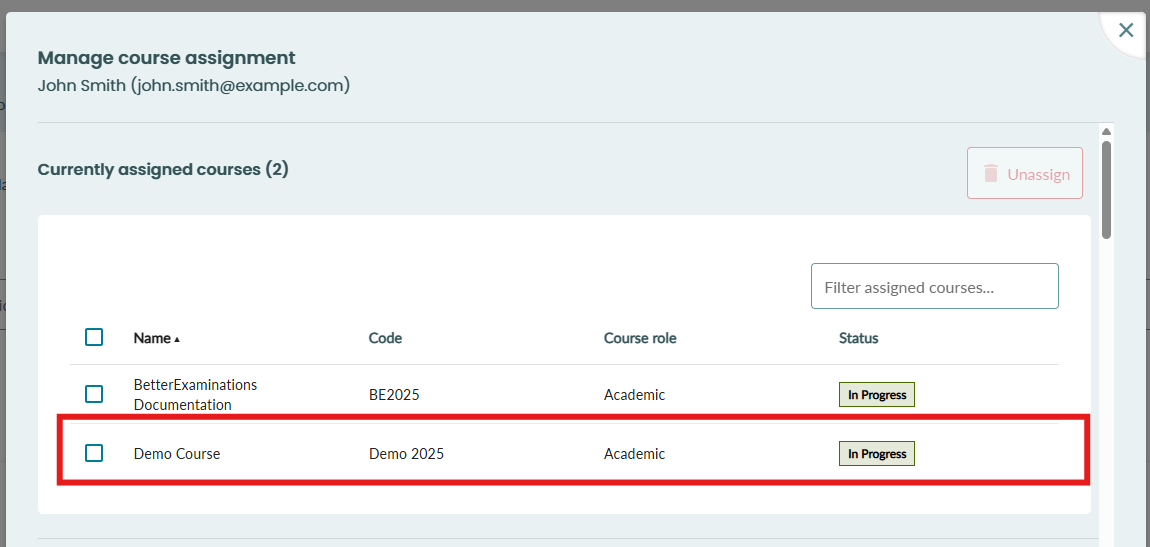
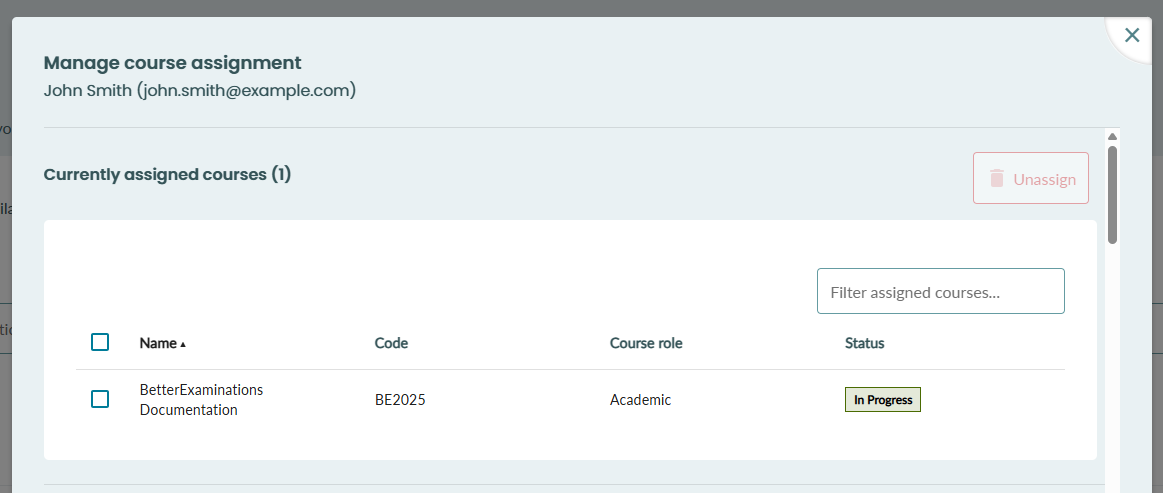
3. At the top of the popup, you will see the courses that the student is already assigned to.
If the user is not assigned to any courses, you will see this 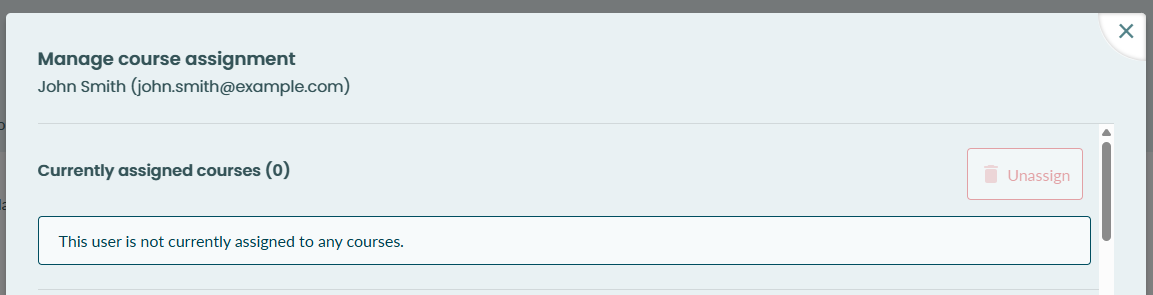
4. To unassign a user from one or more courses, select the course(s) from the table and select "unassign" 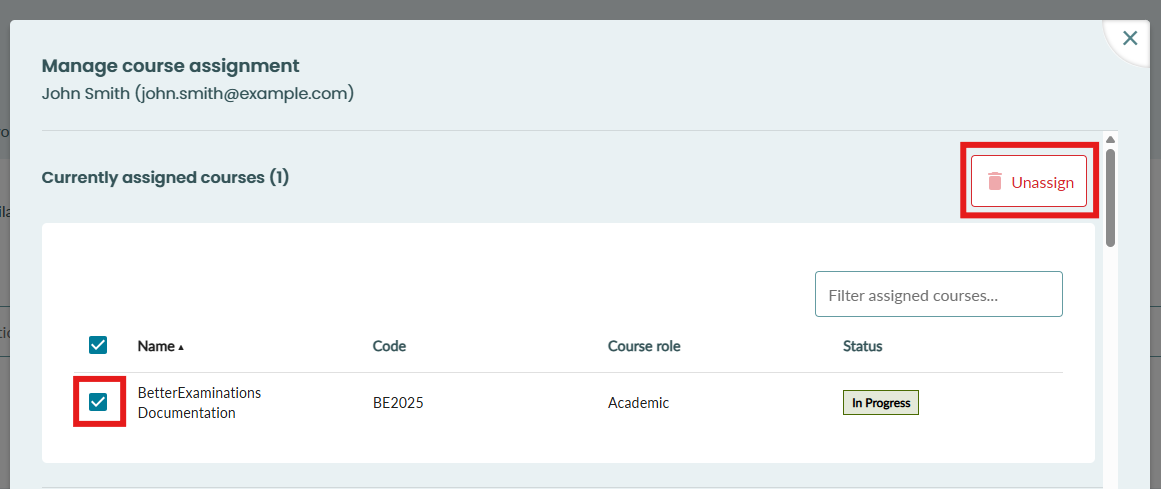
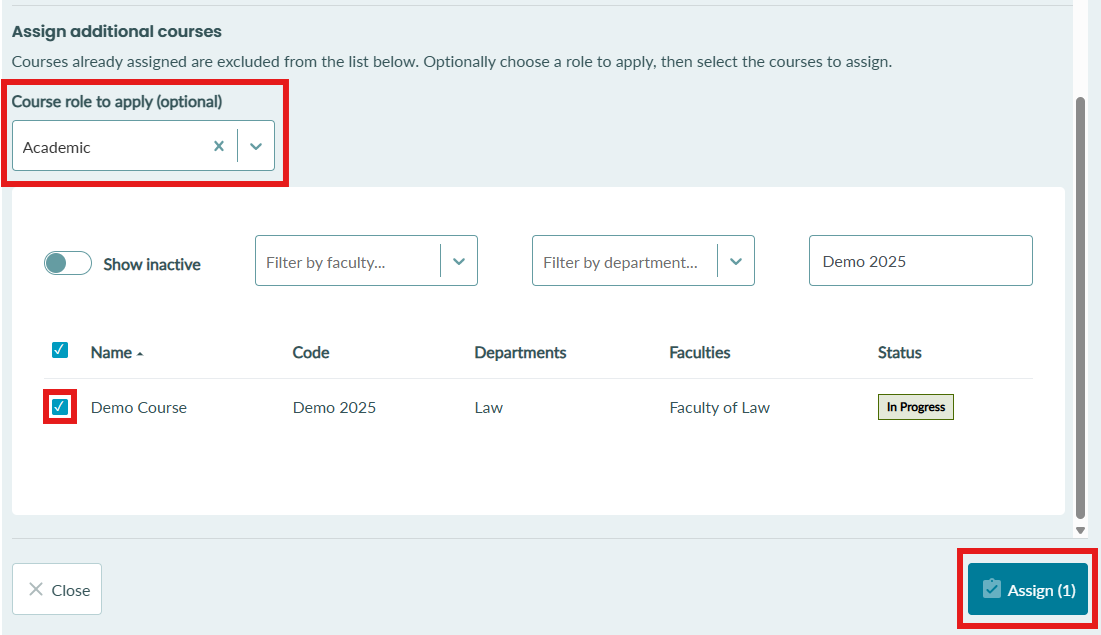
5. To assign the user to one or more courses, scroll down to the 'Assign additional courses' section. Here you will see the full list of courses in your organisation. You can filter the table and search for courses as normal.
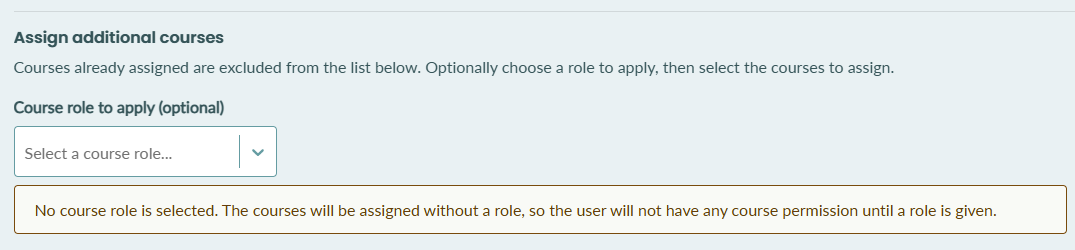
Above the course list, you will see a dropdown where you can select a course role. When a course role is selected here, the user will be given this role in the newly assigned courses.
If a role is not selected, you will see a warning as below.
6. To assign the user to one or more courses, search for and select the courses from the table. Make sure the desired course role is selected.
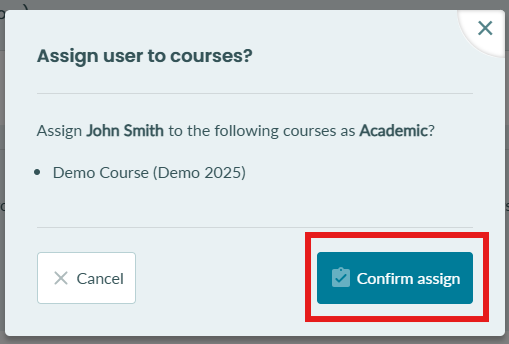
7. You will be asked to confirm
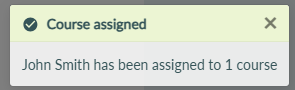
8. When the course(s) is successfully assigned, you will see the success message
9. The newly assigned course(s) will now appear in the first table of 'currently assigned courses'