
Document status report
How to use the document status report
What is the document status report?
The document status report gives exam office staff a single, at-a-glance view of the exam paper preparation status across all courses/modules in your institution. It shows which documents have been uploaded, reviewed, and approved - so you can quickly identify where action is needed and where things might be falling behind.
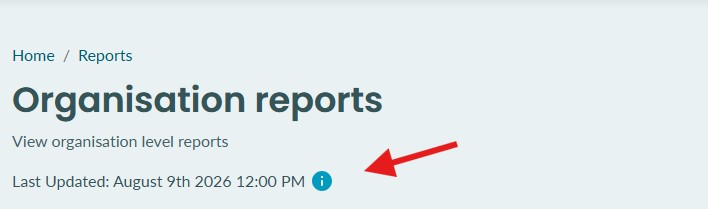
This reports data is refreshed and updated on a nightly basis.
You can see when the data was last updated by checking the top of the reports page (as show below)
Document status report
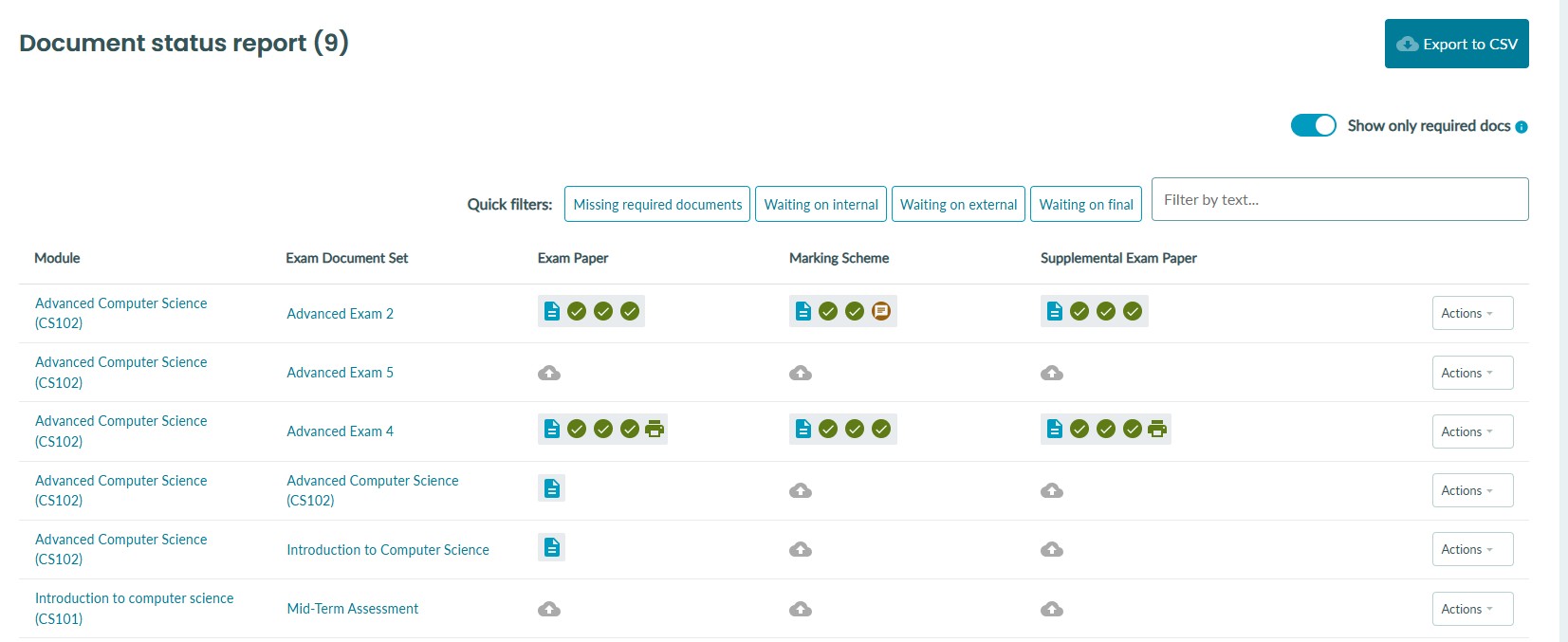
The page displays a table where each row represents an exam document set for a course/module. The columns show:
-
Course/Module - The course/module name and code. Click it to go directly to the course/module.
-
Exam Document Set - The name of the exam document set. Click it to open it.
-
Document Type Columns - One column per document type (e.g. Main Paper, Marking Scheme). Each cell shows the upload and review status for that document type. An asterisks (*) next to the column title indicates that this document is required to be uploaded.
-
Actions - A dropdown to download all documents for that row.
Document Status Icons
Within each document type cell you may see:
| Icon/Indicator | Meaning | Reference |
|---|---|---|
| Grey upload icon | No document has been uploaded yet |  |
| Blue document icon | A document has been uploaded (hover to see who uploaded it and when) |  |
| Review indicator | Shows the status of one or more reviews |  |
| Green print icon | The document has been approved for printing |  |
Filtering the Report
Use the quick filter buttons to instantly narrow the list to document sets that need attention:
-
Missing required documents - Shows only document sets where at least one required document type has not been uploaded.
Status filters (These may differ depending on your organisation's workflow configuration)
-
Waiting on internal - Shows document sets where an internal review is pending.
-
Waiting on external - Shows document sets where an external review is pending.
-
Waiting on final - Shows document sets where a final review is pending.
Search
Type in the search box to filter by course/module name, course/module code, or document set name.
Exporting to CSV
Click Export to CSV to download the full report (as currently filtered) as a spreadsheet. The CSV includes course/module name, course/module code, exam document set name, and a count of uploaded documents per document type. The file is named with the current date and time for easy reference.