
Adding comments to documents
How to add comments to documents
Collaborating as a team to get documents ready is vital. Each document has a dedicated discussion section where users can add comments to a document at any stage of the workflow process.
Note: To add comments, Users must have a course/module role with permission to add comments to documents. See docs on roles and permissions.
Adding comments to documents
1. Navigate to the document you want to view. Select the document to preview it. Then select 'View document history' on the right-hand side
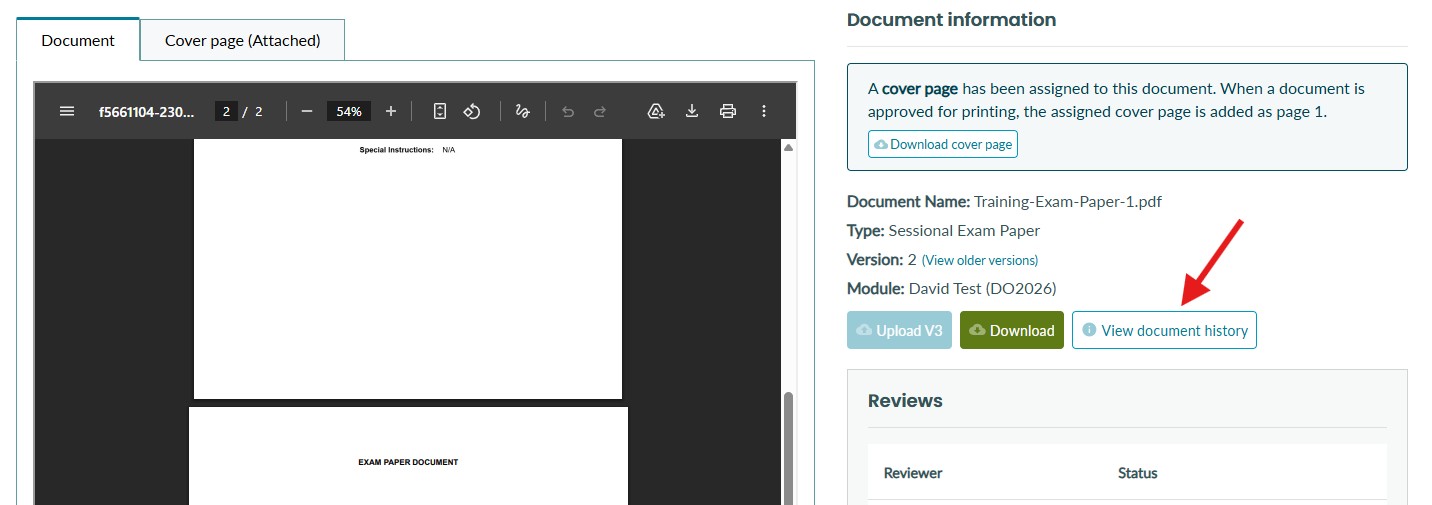
2. Next to the document event list, you will see a section for discussion.
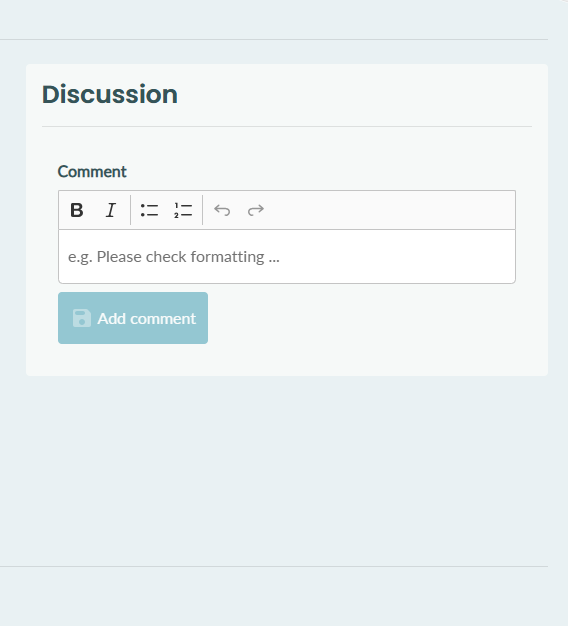
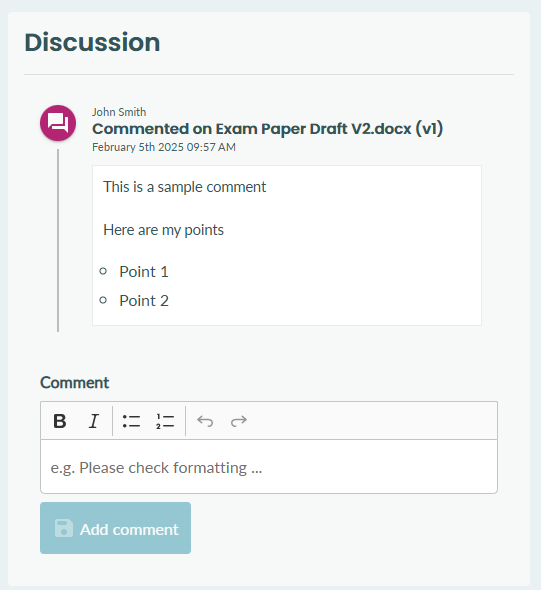
3. Here you can add comments. Once a comment is added, it will be displayed for all other users with access to this document to see.
Tips
-
Your organisation can configure email notifications for comments added to documents. Please reach out to your customer success manager if you wish to discuss this more.