Exam document sets
Learn what an exam document set is and how to create and manage them
What is an exam document set?
Exam document sets are containers for documents relating to a specific assessment or group of assessments. Each course can have one or more document sets depending on your requirements. A set then contains folders that relate to specific types of assessment material (e.g., exam papers, marking schemes, etc.).
Each organisation has pre-configured exam document set settings that are agreed upon during the setup of your organisation. These settings decide the following
- The types of exam documents (folders) that are contained in every document set
- Which documents are required to upload
- Whether a folder can contain just one or multiple files
- Which document types (folders) require printing
Let's look at an example
Your organisation is configured so that each exam document set requires an exam paper, a supplemental exam paper, and a marking scheme. You also allow additional material to be uploaded if necessary.
When a user opens an exam document set, they will see the following folders.
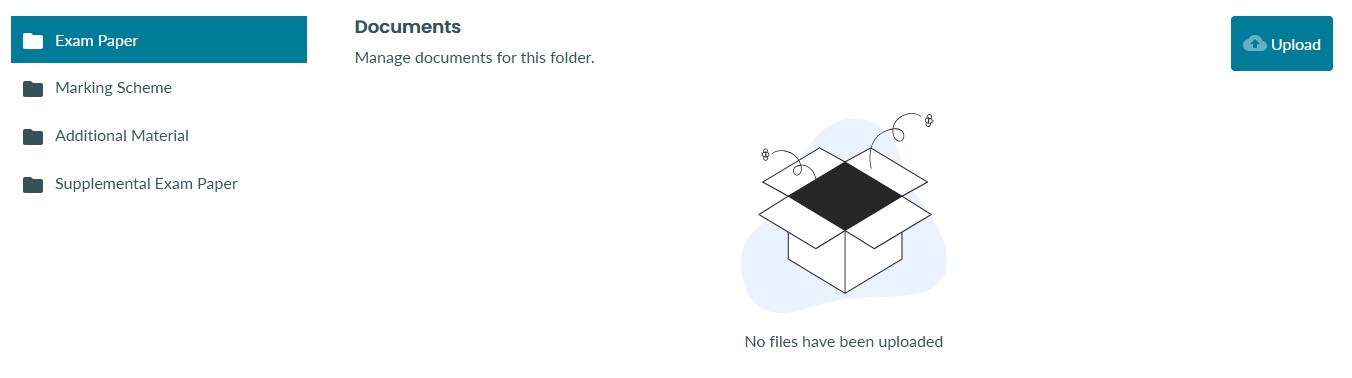
The user will also see an alert message informing them which documents they must upload.

Creating a new exam document set
To create new exam document sets, you must have a course role with the required permission 'Manage exam document sets'. If you do not have permission to create new exam document sets and you feel this is incorrect, please contact your administrator. 
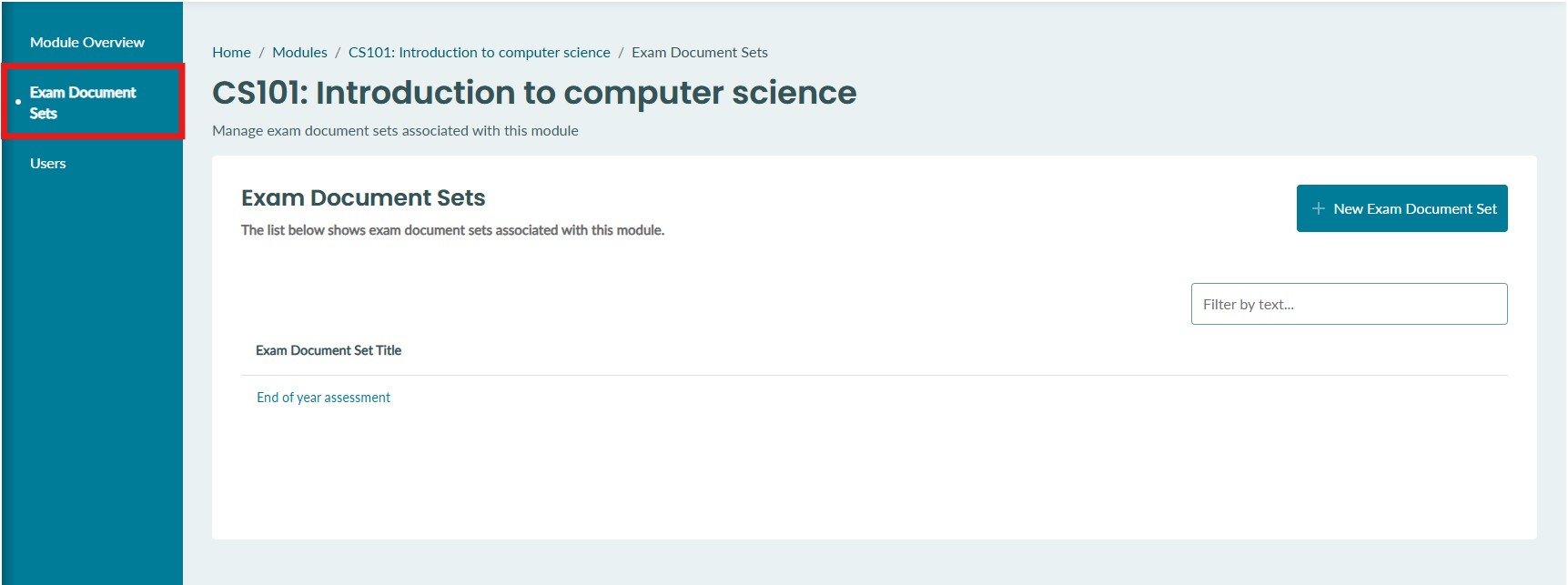
1. Navigate to a course/module and select 'Exam document sets' from the sub-menu navigation. Here you will see a list of all existing document sets in the course/module.
2. Select the 'New Exam Document Set' button to create a new document set. 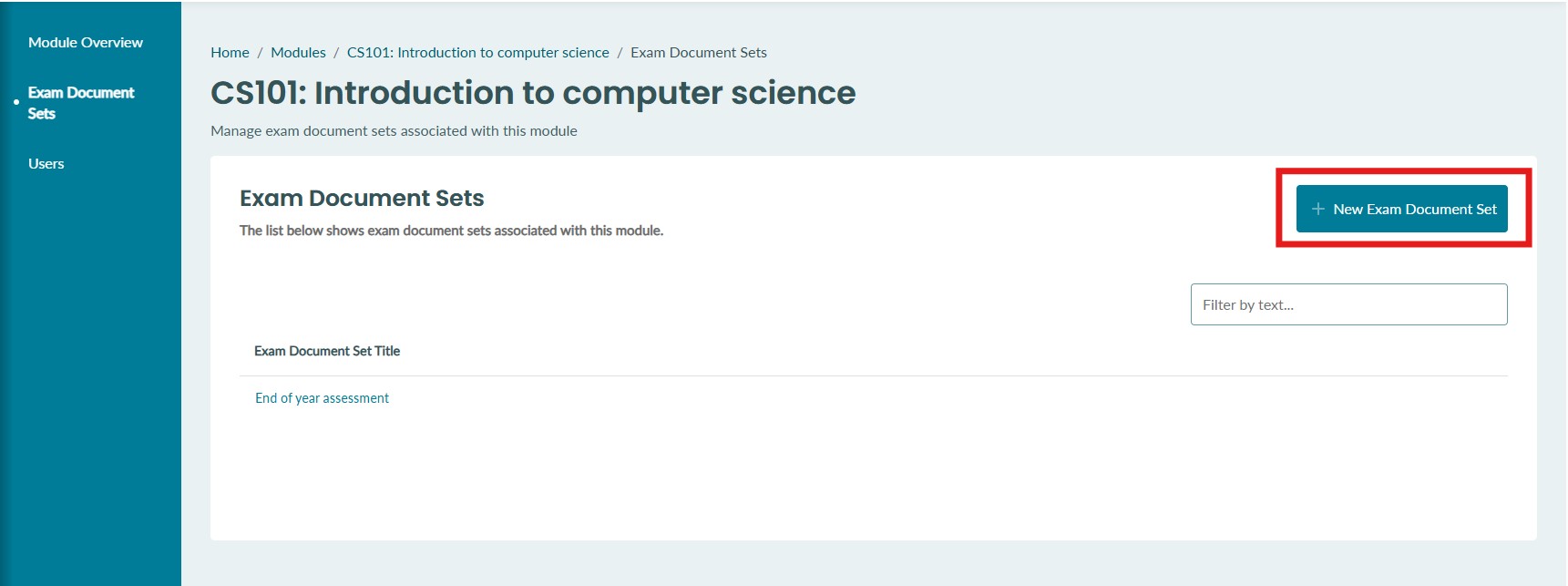
3. Enter an appropriate name for the new document set. If you have permission to manage deadlines, you will also be able to set them here. You can also manage deadlines after creating the exam document set. Select the 'Create exam document set' button to confirm the creation of the new document set.
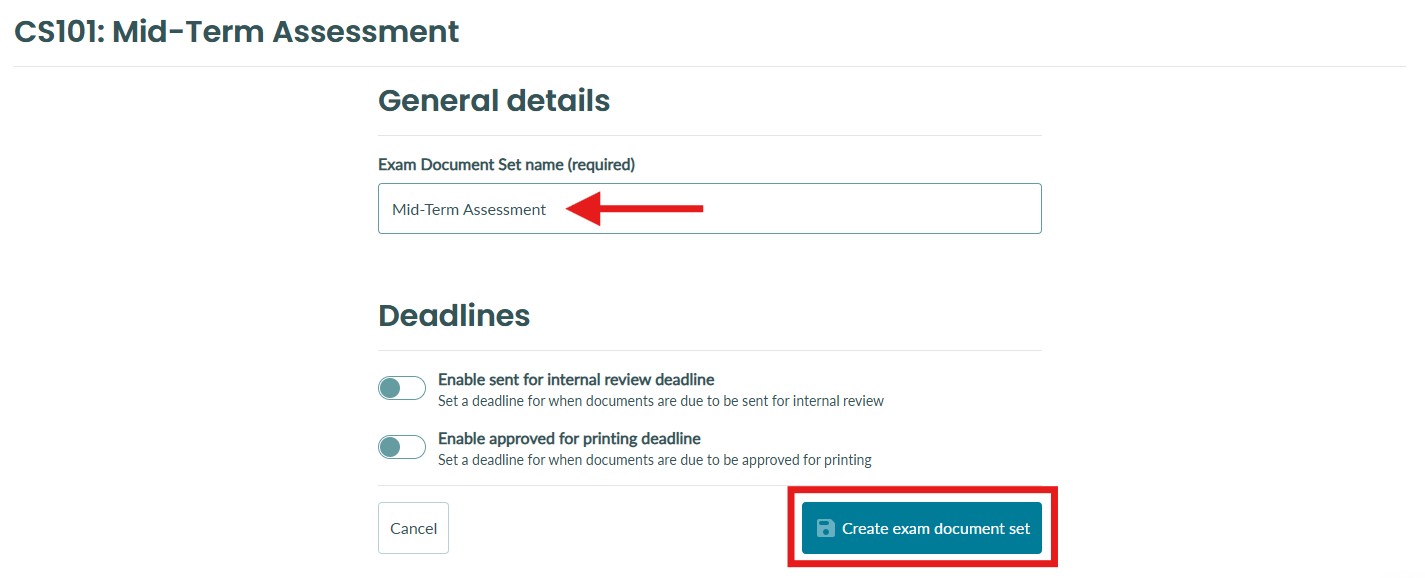
4. Your new document set will be created and pre-configured with your organisation's requirements.
Editing an exam document set name
To edit an exam document set name, you must have a course role with the required permission 'Manage exam document sets'. If you do not have permission to create new exam document sets and you feel this is incorrect, please contact your administrator.
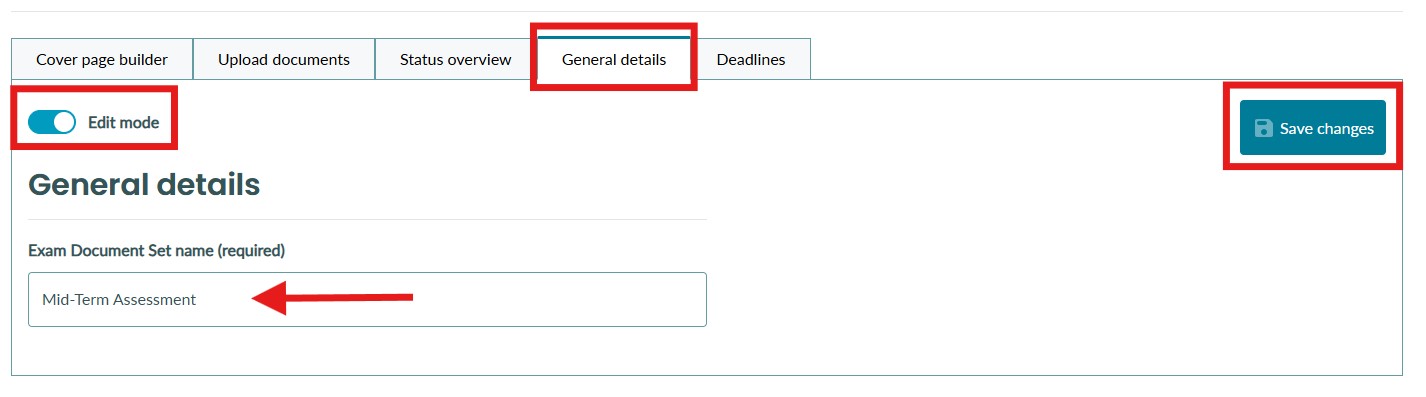
1. To edit an exam document set name, navigate to the 'General details' tab of the exam document set. Toggle on 'Edit mode', enter the new name and select 'Save changes'.